

Black belt in Mikado, Photo model, for the photos where they put under ‘BEFORE’
- 127 Posts
- 646 Comments


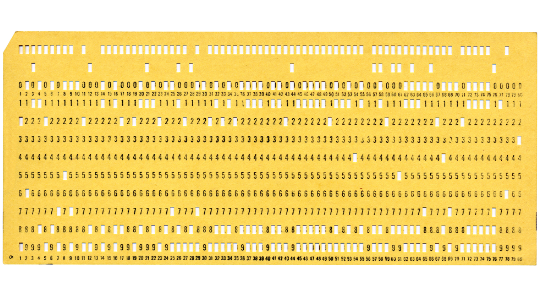
In my study time it was the only which exists, still no electronic or computers , only in big companies, which worked with punch cards.

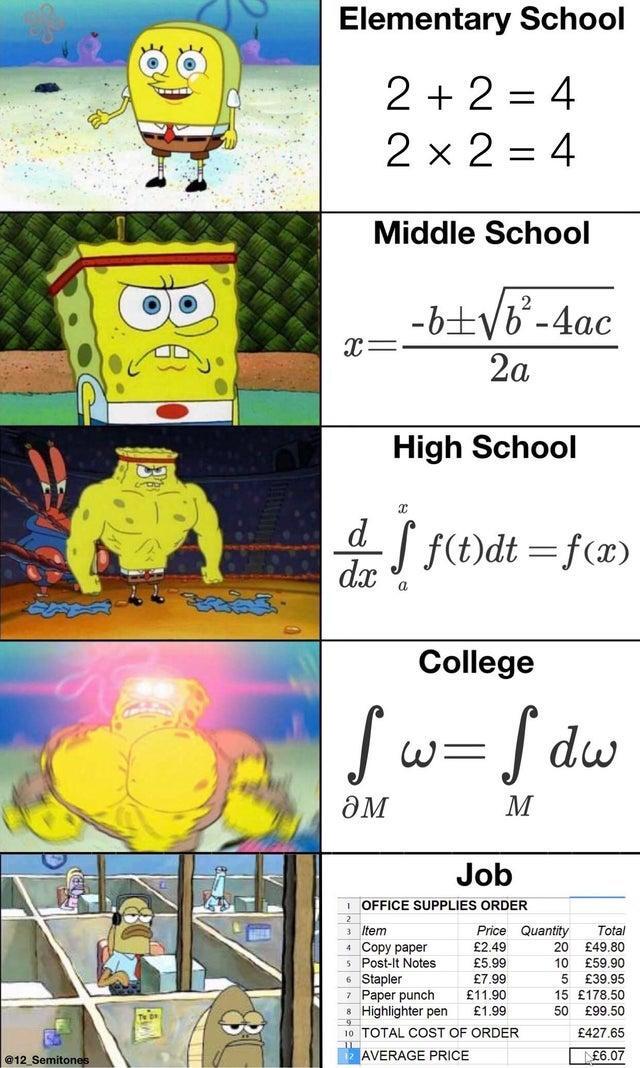
In Spain too, it’s also needed in vocational training (FP1, FP2) for carpenters, electricians, plumbers, etc., because it involves necessary calculations in their work, such as trigonometry, spheronometry, vector forces, flow calculations, among others. For office workers, naturally, percentage calculations are not overcome, but even there second degree equations can arise.

You can’t get on bord con a nail clipper, but a bottle with 250 ml Polonium no problem.
Always was, welcome to capitalism



 1·5 months ago
No, but eg, Chromium has a BSD 3 license, that means simplified do what you fucking want with it at your own risk, exept if you want to put the original Chromium author on your shabby fork or derivated products, you need a permission to do it. Even Gecko has a more restrictive license (MIT, also very liberal but need copyright mencion if you use it)
i know, because off this I named what is FOSS and what is OSS. But even FOSS, when it include APIs, also FOSS, from Big Brothers, it isn’t really FOSS, it’s only because the traditional definition, same for “Open” Source as such. This is because I said that the traditional definition need a revision.

All from Google Code (Chromium, Chromium OS, Android, irbase, etc…) and alot of third parties which include APIs from Google, Facebook and the other mencioned. Well, as FOSS you can all of these gut and fork, but if not, the are not more private and secure as any other proprietary soft. You can take a look also on the over 6200 Microsoft Open Source repositories in GitHub (also from MS), eg Docker, LinuxTracepoints, Live-share…
https://github.com/orgs/microsoft/repositories?type=all
Or in the Open Source repositories from Zuckerbot (eg. React)
Also Amazon
https://aws.amazon.com/en/opensource/
Most trustworth those from the NASA, but most very specific apps. Maybe Worldwind as alternative to Google Earth.
We all know that companies like Adobe, Amazon, Google, Zuckerbot products and M$ are everything, but trustworthy when it comes to security and privacy. But too many times FOSS is confused with being reliable, secure and private, which is profoundly false, especially in recent years, since precisely the aforementioned companies got massively into the world of OpenSource, injecting and controlling many FOSS products with their APIs.
The big evil today is called surveillance advertising, that is, selling user data to advertising companies and others, to create income, which is not only an invasive privacy problem, but also a serious security problem as it is not controllable how these data, often sensitive, are processed and protected.
Especially in products from the US, where privacy regulation is practically non-existent and which require an urgent review in this regard, irrelevant if it is FOSS or proprietary soft. It also requires a revision of the definition of OpenSource, where products that send data to third parties and large companies are not really Open Source, other than in an evil sense…
In my young years the computers still worked with this and Pong was a sensation.
 1017·5 months ago
Don’t misunderstand me, it’s always the corresponding gov and it’s supporters, never the country and their people as such. It’s the US goverment which sponsor and cause dictatorships, genocids and wars, it’s the goverment of Israel which crete and sponsor Hamas to justify it’s genocide since more than 50 years in Gaza, it’s the global capitalism with the greed of a minority the cause of the degeneration and collaps of the society, spreading ignorace and fanatism with the help of manipulative media and religion since centuries.
It isn`t enough to speak and critzise the gov when later only exist the posibility to vote between the bad and the worse, or no vote, because in policy the silent majory don’t exist.
Typical American politics, throwing the stone and hiding their hand after, the bad guys are always the others. Like the famous missile crisis in Cuba, 1962, which almost put us in a nuclear war, which by the way was avoided by the Russians at the last moment, while the USA already had its finger on the red button, to launch the own nuclear missiles, stationed in Turkey and Italy since 1959, pointing to Mosow, and no one talks about, because the bad guys are the Russians. US foreign policy has caused most dictatorships and wars today, for oil and for MAGA.
I remember the September 11 and more than 3000 killed people…in 1973, when the CIA organized the end of an democratic elected president to put an bloody dictator in Chile, Pinochet.
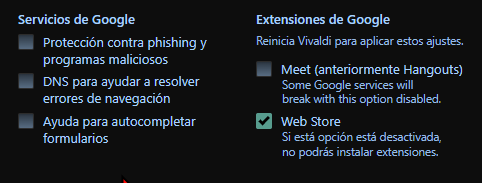
The Vivaldi team is working hard to gut the Google spyware in Chromium on every update. Because of this only security patches are in realtime, all other updates are 1-2 weeks behind. The rest remains as user choice in the settings (save browsing, Chrome Store (without Vivaldi isn’t even recognized as Chromium), G DNS and little else). Therefore, Vivaldi can be seen a hard fork. No data sended to Google, nor other third party companies (excepting naturally extensions and search engines you use, they can be not so private in any browser, Mullvad also recommend to use less extensions possibles).













https://www.latimes.com/archives/la-xpm-1999-oct-01-mn-17288-story.html